A guide to work experience in corporate media production

Disclaimer: This guide comes mainly from the perspective of the corporate video industry, but don’t dismiss it entirely if you don’t think it’s relevant to your career aspirations. A lot of the principles are the same, whatever sector you start out in. This article is intended to help those who have just started out and want to know how best to get a ‘foot in the door’. I was there once, and wish I’d had someone giving me a bit of advice and guidance at the start.
First and foremost, remember the film, TV and media industry is fiercely competitive. There are loads of young and enthusiastic wannabes out there just like you and you need to do all you can to stand out from the crowd. Volunteering or internships are invaluable in terms of giving you good experience and making contacts, but crucially it can also lead to paid work.
Spend some time researching local companies and contacts, compiling a list of phone numbers, web addresses and emails. Familiarise yourself with their content, so that they are not just an entry on a list of names. See if you can identify a gap in their staff team or the way they work that you might be able to help them with.
When getting in touch with contacts, it’s likely that they won’t have anything to offer you. If that’s the case, make sure you keep a note and get in touch with them again sometime in the future. Don’t do it too often (that will come across as desperate or annoying) but it just helps to keep you at the forefront of their mind, in case something does come up. Follow up with a message to show what you’ve been up to with links etc. Treat it as something like a newsletter.
The reality is, you need to be a bit tenacious in what you are doing. The people you are contacting don’t usually have a lot of free time and are dealing with a million things all at once so you have to get their attention and make them sit up and take notice. You need to demonstrate that it’s worth their time to take you on.
It’s pretty much a given that you need to be on social media. At the very least, have a YouTube channel and keep it up to date. Even if it’s about your cats, it shows that you know how these things work. You don’t need to rely on expensive camera equipment or fancy lighting. Most modern smartphones can shoot footage that’s decent enough for social media. Bear in mind that social media is your public profile and that anyone can access it (unless you’ve set everything to private). Make sure you don’t have any embarrassing content you don’t want a prospective employer to see!
It almost goes without saying, but turn up on time. Punctuality is enormously important, so if you struggle to get out of bed in the morning get plenty of alarm clocks and avoid staying up until 3am every night. Turning up early is even better, but being an hour early is probably too much. If you can’t avoid being late (e.g. the trains have been cancelled last-minute), text or phone ahead and explain giving an estimated time of arrival (ETA).
Be friendly and positive when doing your work, so avoid moaning or complaining about things. Do what is asked of you within the time frame expected, but if you are struggling ask for help. Don’t talk too much or say too little – this might be where a bit of self-awareness is needed. If you are an extrovert, practice keeping quiet for short periods. Similarly, if you are shy, make an effort to be a bit more talkative that you are used to. We all have to do things that are outside of our comfort zones so it’s good practice – eventually you will get used to it!
Show an interest in what you are doing and don’t be afraid to ask questions, but make sure you aren’t getting in the way or slowing things down during a production. Always keep an eye out for opportunities to step in and help.
Finally, be aware that some people might end up taking advantage of you. Having someone working for free is an attractive prospect, so establish what you are committing to before you start and stick to it. The main thing is don’t leave things open ended so that after six months you are still working full time with no pay. That’s exploitation and should not be tolerated, no matter how cool the company might appear to be.
What do you think? Was that helpful? If you have any comments or questions please feel free to write below! Alternatively, connect with Farsight.
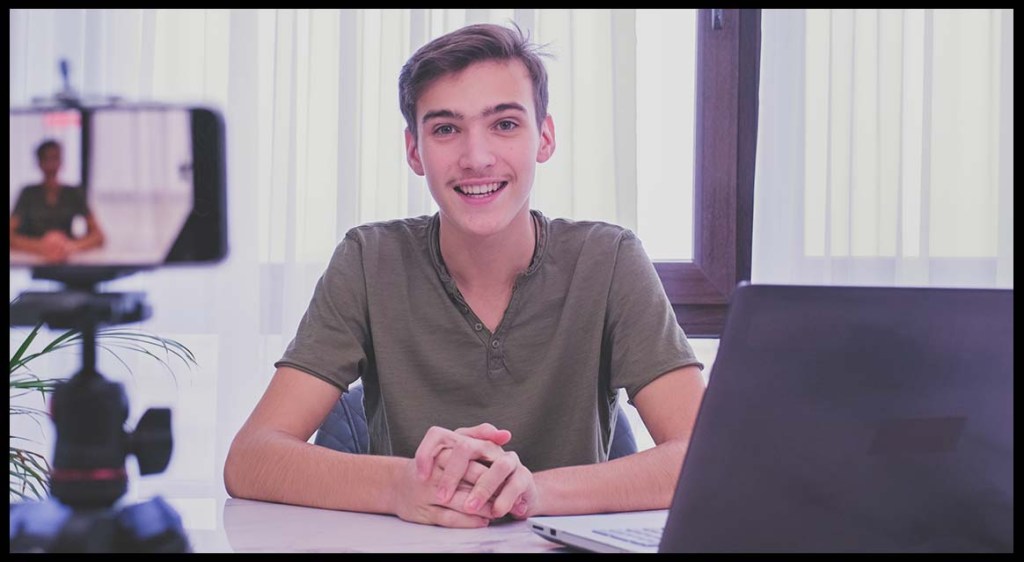
Filming with a smartphone

Nowadays, most phones can shoot high quality video with great sound. Here are a few tips on how to get the best footage. Most of these principles also apply to using a computer’s webcam as well.

1. Video Quality

As a good rule of thumb always try and shoot the highest quality video possible. Most newer phones can film in 4K (or even higher), but if yours doesn’t simply go for the best settings (usually HD). Be aware, however, that your phone storage may be affected so make sure you have enough disk space first. If you don’t think you have enough room, either delete other videos to free up some space (as long as you don’t want to keep them!) or opt for a slightly lower quality video recording.

2. Framing

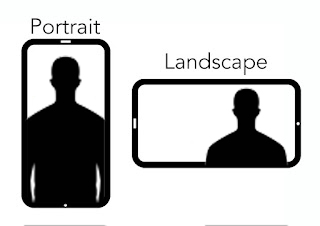
You can either film yourself in portrait or landscape mode. It’s up to you which you prefer, but generally portrait videos are best if you are filming short videos intended for social media accounts like TikTok and Instagram. Longer videos that are intended for YouTube, for example, would be better shot landscape.

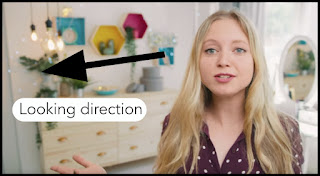
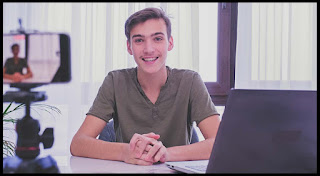
Here are two examples of how to frame your shot in landscape. If you are talking directly to the camera, it is best to position yourself in the centre. If you are talking off camera (e.g. to someone who is asking you questions in an interview style), then it is best to position yourself either to the left of the right side of the frame. Make sure the direction you are looking is where there is most ‘empty space’ in the frame.

Placing yourself a bit further away is fine, but any closer might be too much. If you are too far away, it can be more difficult for the audience to ‘connect’ with you.

3. Positioning

Put some thought into where you position the camera. What is in the background? Is it relevant to what you are talking about? Is it distracting? Keep your phone level with your eyeline – you want to make sure that you are not looking up or looking down too much at the lens. Avoid having shaky video as it can put people off. Try not to hold the phone if possible but use a tripod or selfie stick instead. Alternatively, a shelf, pile of books etc. can be just as good.

4. Sound

Sound is just important, if not more so, than visuals. Most microphones on smartphones are pretty decent but check the quality before recording. If you have earpods, a handsfree kit or similar you might get better quality. Be aware of external sounds that could affect the recording. Don’t film next to noisy machinery, for example, or outside on a busy street. If there is noise, move away to a quieter, more secluded location – preferably inside where you can close windows, doors etc.

5. Lighting

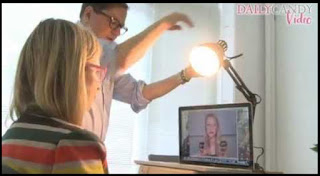
Simple lighting can help avoid your video looking too dark or gloomy. You don’t necessarily need complicated lighting kits. The sun is a great source of light, which you can make use of either outside or inside. Just don’t shoot with the sun directly behind you. This will create a silhouette effect which will make your face difficult to see. Instead, always make sure the sun is in front of you when filming. This can be done outside easily enough by adjusting your position, and indoors by simply facing a window and using that as your source of light.

Alternatively, use artificial lighting – as much as you can to illuminate your face. For example, you might want to position a table or desk lamp facing you. Don’t overdo it, though. Too much light and your face could look washed out. It could also be too bright for your eyes – you don’t want to be squinting either!

6. Don’t use digital zoom

Some cameras enable you to digitally zoom into the image (usually by spreading two fingers at once on the screen). This is best avoided as the picture quality decreases and can become much shakier.

7. Film with editing in mind

When filming, it’s important to think about the final product. Some form of editing is usually needed so it’s best to bear this in mind. Typically, this just means pausing for a couple of seconds before you start talking. What this does is allow the editor to briefly ‘fade in’ before you start. And when you’ve finished, pause for a couple of seconds maintaining eye contact with the camera. Similarly, this makes it possible to ‘fade out’ smoothly. It also avoids having to include the often-inevitable camera shake and noise when turning off the camera.
Finally, if you make a mistake, stumble on your words or are unhappy with your recording you can either:- stop recording, take a deep breath and start again- keep recording and go back to the start- keep recording but go to an earlier part of your speech and carry on from there
Just make sure you take a deep breath and pause for a couple of seconds before talking again.

8. Additional tips for presenting to video

– Smile and be yourself. Overcoming the odd feeling of talking to a smartphone, computer screen or camera is probably one of the biggest challenges if you haven’t done it very often before. If it helps, try and treat it more as a conversation with a friend as opposed to a formal lecture. As with anything, practice helps – and remember to try and be yourself, relaxing into the talk. A dull and monotonous delivery will turn people off.
– Don’t self-deprecate or draw attention to nervousness etc. Even though you may feel very different internally, it’s important to convey confidence when delivering to camera, otherwise it can be very off-putting and distracting to viewers. The beauty of video is that it is not ‘live’ (unless you’re livestreaming of course!) so you can always re-do sections if you are not happy – also, you can deliver your talk one section at a time if doing the whole thing in one go feels overwhelming.
– Maintain eye contact. Try not look away from the lens too much. Having notes is fine, and if you have to look at them occasionally during your talk it is acceptable. Looking around in all sorts of other directions all the time, however, can be distracting to the audience.

If you require training or support in producing videos – feel free to get in touch with Farsight Films to see how we can help. We offer bespoke training both onsite or online tailored to your requirements. Find out more here: https://farsightfilms.com/consultancy-and-training/

2020, Covid-19 and Filmmaking during lockdown.

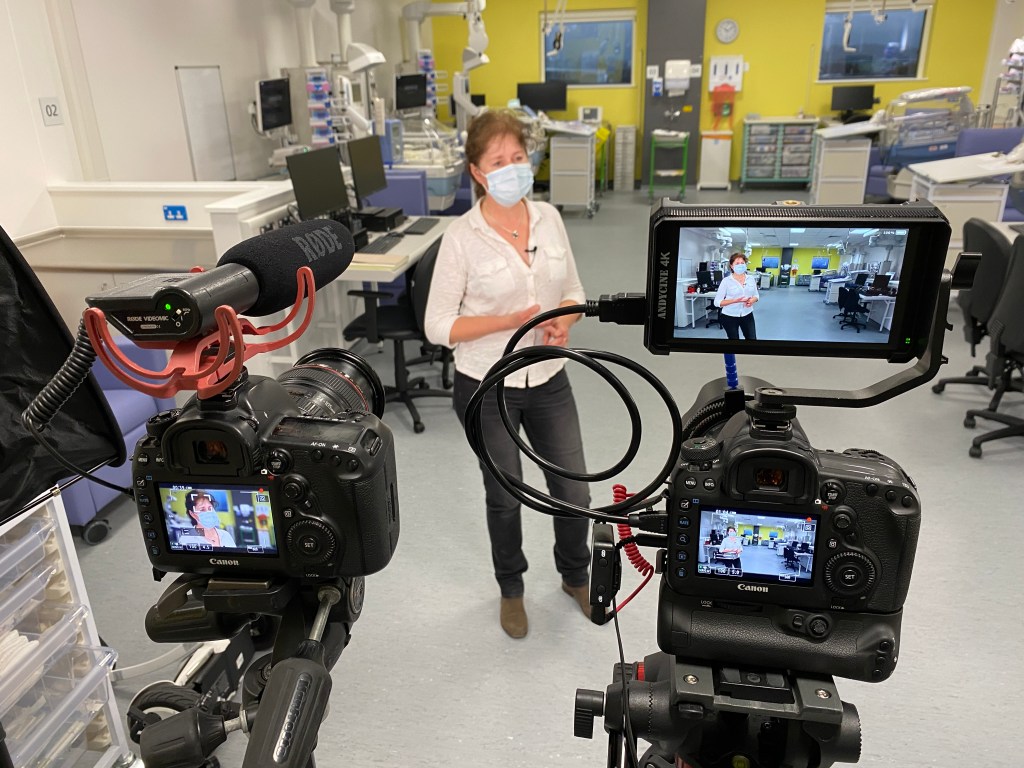
Filming in Newport at the newly opened Grange University Hospital with AME Videography

For most of us, 2020 was a hugely disruptive time. With lockdown restrictions in place, working from home has become the ‘new normal’ for many.

Initially Farsight Films was impacted by the pandemic, with several events and conferences that were booked in for filming cancelled or postponed indefinitely. Thankfully, we were in the fortunate position to have a number of editing projects on the go, as well as being in receipt of government financial assistance. 

Towards the end of the year, it has been possible to do some filming on location. In light of the ongoing virus spread and lockdown remaining in place for most of the UK is has meant keeping to social distance and hygiene rules in order to keep everyone safe.  

2020 has certainly be an unusual time in recent memory, and we hope that 2021 will see things eventually return to normal.

If you require any filming, please be assured that we are able to continue our work under Covid-19 safety rules. You can contact us here.

Special Offer – Book a video, get FREE photoshoot!

Special Offer

Get a professional video made for your business with a FREE photoshoot.

Farsight is running a special offer from now until 31st of January 2020, which means that if you book us in to make a £500.00 corporate video for your business or organisation then you get a FREE 1 hour photoshoot as well.

Comprises:

  • a day’s filming on location at your premises, filming interviews and gathering footage as required.
  • editing together using text, graphics and logos to create a professional, eye-popping video that will stand out to your potential customers.
  • supplying the video in digital formats for all major social media platforms (Twitter, Instagram, Facebook and YouTube).
  • A 1-hour photoshoot at a single location, capturing images as required.
  • Editing the photos to a high standard and supplying in digital format.


So, not only will you get a professional promotional video to help you engage better with your customers, but you will also have some great images to use on posters, leaflets, banners and online.

Get in touch now to see how we can help: call/text 07968 033089 or contact us via email here.

Recent Projects

Farsight has been busy these last few months on a range of diverse video production projects.

These have included:

  • a series of healthcare short videos provided in British Sign Language with English and Welsh subtitles
  • filming two healthcare events in Cardiff and Carmarthen
  • a music video for a local health campaign
  • promotional films for a wellbeing expert, an independent hotel in Cardiff, a beauty salon app and an international business training provider
  • a wedding in Cumbria (see video below)

Farsight Films offers a friendly and professional video production service to suit all kinds of budget. Call or text now for a free consultation and quote: 07968 033089.

Llamau Big Sleep Out

On a freezing night at Leckwith Stadium last December, Farsight Films joined forces with AME Videography to donate our services to Llamau, who support homeless young people. They were holding their annual ‘Big Sleep Out’ in Cardiff and we were there to capture the event. Take a look at the video:

Need something similar? We can film your event from start to finish and produce an epic highlights video to promote your work. Give us a shout to find out more.

If you are interested in finding out more about Llamau, you can visit their web site for more information: https://www.llamau.org.uk

Podcasts and Audio Editing

D3CD2B9F-D192-47BB-9DFB-57C8B706F941

Farsight Films is not limited to video production – we can offer a full range of audio services to help get your content online and noticed by customers or clients. Whether you want to produce a podcast or radio advert, we can guide you through the process from start to finish. Call now on 07968 033 089 or get in touch.

Recent projects

Farsight has been working on a number of projects and is gearing up for a busy December before the Christmas break.

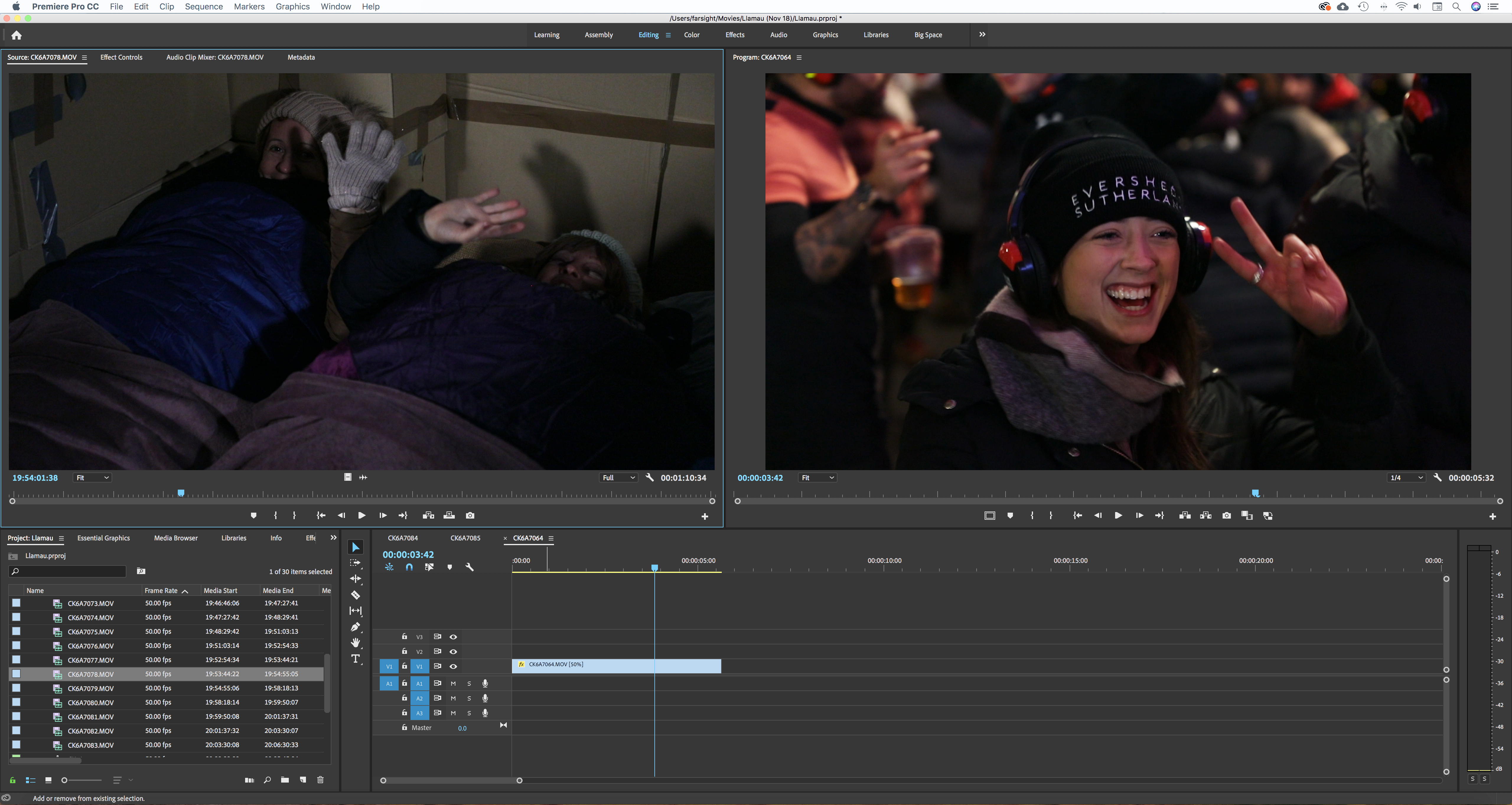
We have been involved in producing some films for British Psychological Society events in Newtown and Cardiff (including live-streaming presentations via YouTube), helping out homeless charity Llamau filming their annual ‘Big Sleep Out’ and doing some graphics work for a low-budget feature film due for release next year.

Llamau screenshot

If you need help with any film or video projects, please don’t hesitate to get in touch and book us in before the festive holiday as we still have a few slots left.

Call / text: 07968 033 089

Web: www.farsightfilms.com

Redacting faces, number plates, signs and logos.


Farsight Films can offer a range of redaction services to help those in the corporate, legal, security and local government sectors. Redacting is the process of ‘blurring out’ or anonymising elements of video material to ensure confidentiality of individuals or other information. Footage typically comes from CCTV footage, but can also come from smart phones or other video sources.

We can implement blurring, pixellating or black boxing of any part of the video frame to suit your needs. Not only that, but we can also include graphical ‘tracking’ elements too. Just ask.

Get in touch to see how we can help.

Call / Text: 07968 033 089

Email: justin@farsightfilms.com

Web: http://www.farsightfilms.com

Streaming Services

streaming 2

Make the most of modern communications and technology by harnessing the power of live streaming. Farsight Films is able to offer streaming services to help you broadcast your event live across the internet. The benefits are clear: those who can’t attend your event in person can watch live from their tablet, phone or computer. Those who did attend can revisit talks or presentations after the event … or catch up on a key moment if they missed something.

We can broadcast via ‘YouTube Livestream’ or ‘Facebook Live’ and make sure all presentations are separately recorded as back up.

Call now to see how we can help: 07968 033 089

www.farsightfilms.com